

Latest Version
Swapnil Devesh
Health
Linux
Free
com.sidevesh.Luminance
Report a Problem
More About Luminance
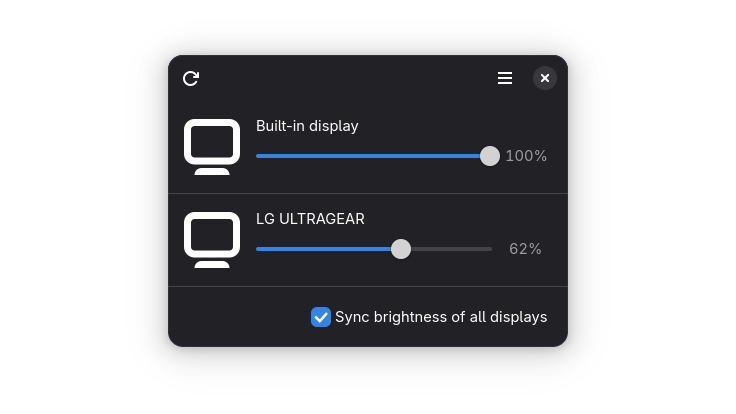
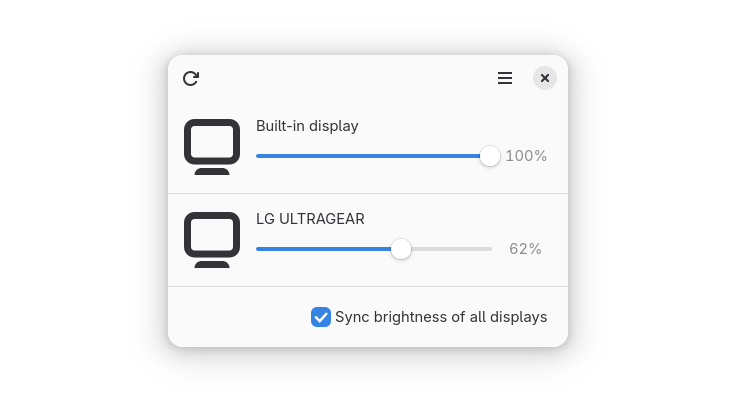
Managing monitor brightness on Linux has historically been a mixed bag, especially when dealing with multi-monitor setups or external screens. Enter Luminance Linux display brightness control, a dedicated GTK-based utility designed to streamline how you adjust your visual workspace. Created by developer Swapnil Devesh, this lightweight application bridges the gap between system-level hardware communication and user-friendly desktop integration.
The Power of DDC/CI Support
What sets this utility apart from basic software-based dimming filters is its native integration with DDC/CI (Display Data Channel/Command Interface). Instead of simply applying a dark overlay to your screen—which can ruin contrast and color accuracy—the application communicates directly with your monitor's physical hardware. This means when you adjust the slider inside the app, you are changing the actual backlight intensity of your external display.
Key Features and Usability
- True Hardware Calibration: Adjusts actual hardware backlight levels rather than applying a cheap software tint.
- Multi-Monitor Management: Seamlessly detects and controls multiple displays, including external monitors connected via HDMI or DisplayPort.
- Modern GTK Interface: Features a clean, distraction-free GTK interface that blends perfectly with modern Linux desktop environments.
- Resource Efficient: Written specifically for Linux, running quietly in the background without draining system resources.
Who Is This Tool For?
If you regularly work late hours or move between different lighting environments, monitor glare can cause significant eye strain. Classified under the health and wellness category, this utility is a must-have for developers, writers, and digital creators who require precise, hardware-level control over their viewing comfort. It eliminates the need to awkwardly fumble with physical monitor buttons just to dim your screen when evening sets in.
Our Verdict
For Linux users seeking a native, elegant solution to manage their workspace lighting, this app delivers exactly what it promises without unnecessary bloat. To try it out on your system, head over to the official Flathub store page to explore the application and integrate it into your daily workflow.
Rate the App
User Reviews













Popular Apps










Editor's Choice